Generation
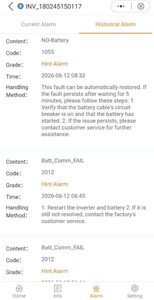
The numbers are in after our first month of solar photovoltaic energy production with permanent internet connection on both buildings and without system trips.
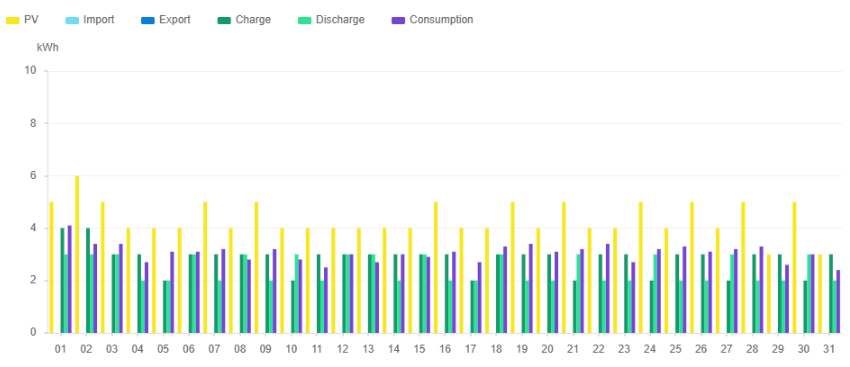
The gatehouse building generated 135kWh and used 95kWh powering the electric fence and outside lights, with occasional kettle use.
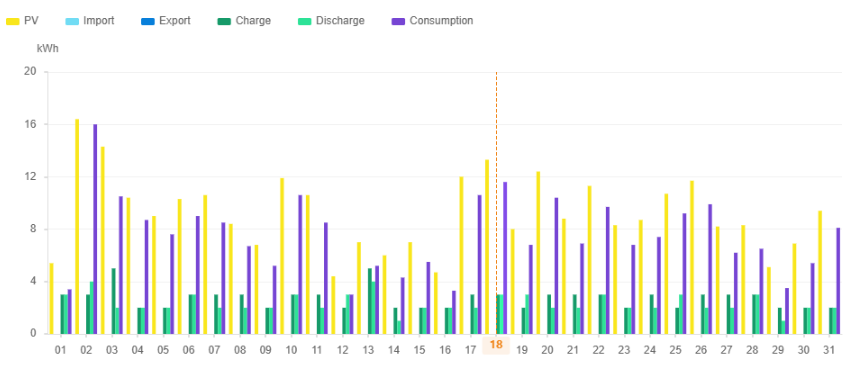
The homestead generated almost twice that at 286kWh with 235kWh used running the borehole pump, irrigation pump, electric water heater, fridge, outside lights and internet router.
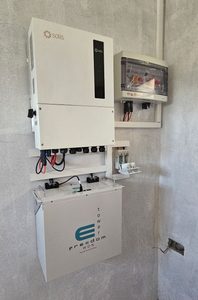
The first thing that I take from this is that we are “losing” 30-40kWh per month in overheads to the Solis S6 5kW inverters and Freedom Won eTower 5kWh batteries.
This seems to tally with Solis’s reported ~40W inverter self-use and Freedom Won’s claimed 95% battery efficiency.
Angles and Patterns
If you read the other post you will know we have two installations on separate buildings. One building was built from the outset with solar panels in mind with supposedly optimal roof pitch, the other one evolved from a simple set of rooms to a set of rooms with covered veranda and kitchen, with only a minimal roof pitch.
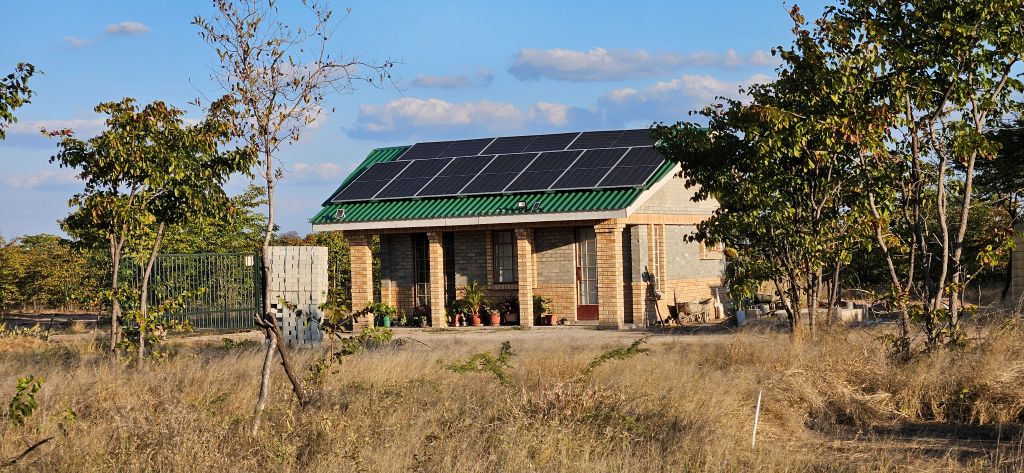
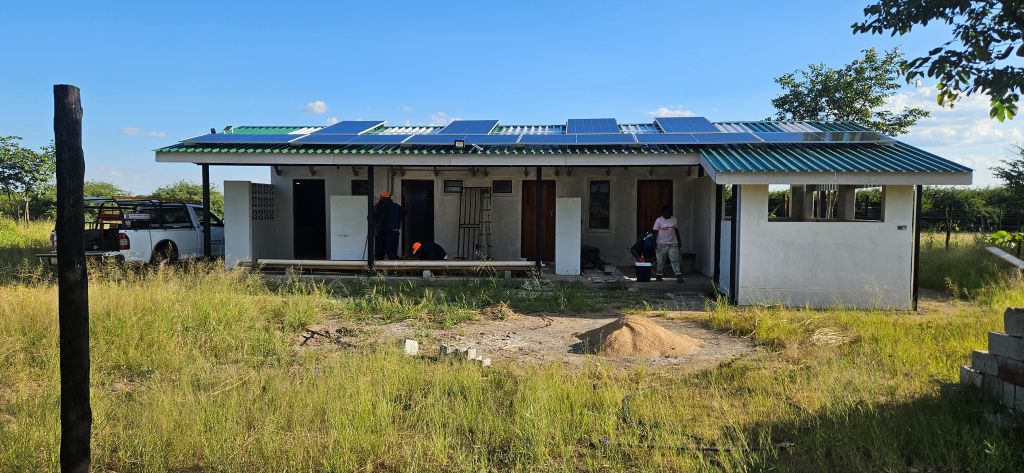
The difference in solar harvesting is noticeable in the morning as the optimal pitch roof has an almost continual ramp-up in the power it generates as the sun rises. Contrast that with the shallow pitch roof that has an almost flat line for the first hour or so, then a sudden step, followed by the steady ramp-up. Although the ramp-up is also slightly shallower.
As we are a couple of degrees north of the Tropic of Capricorn I’m looking forward to observing the difference when the sun is to the south of us in December.
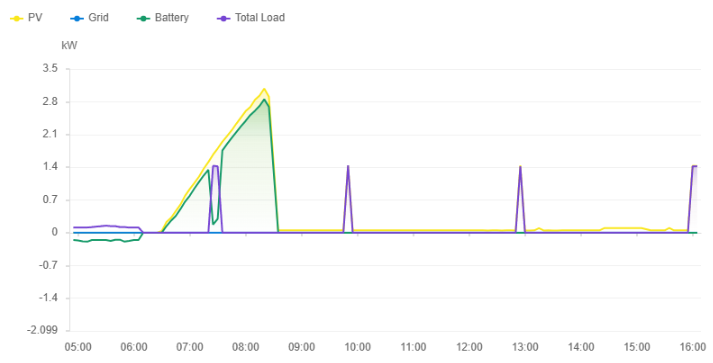
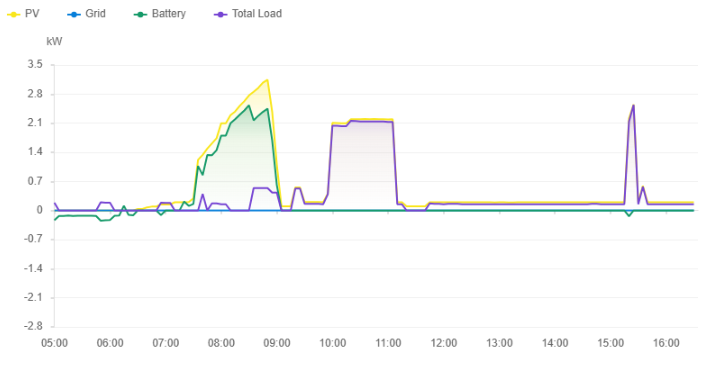
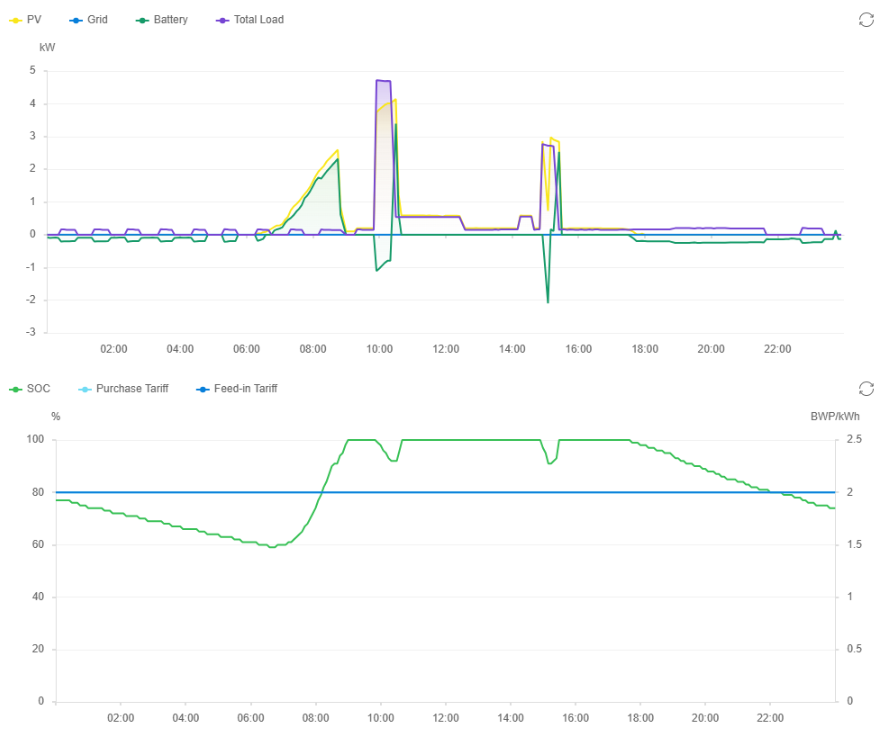
As for usage patterns: the batteries typically draw down to 50-55% state of charge overnight and are recharged within a couple of hours of sunrise.
In the left hand chart is can be seen that when our farmworkers boil water for their morning tea it pulls almost all the power available, slowing down battery charging. For the rest of the day there is plenty of spare capacity.
On the right hand chart we can see the fridge cycling on and off using >100W of power, and a continuous run in the afternoon when it has been loaded with water for chilling or freezing. The larger step while the battery is charging is from the irrigation pump, and a big jump at 10:00 when the timer switches on the 2kW water heater which runs for 30-35 minutes or so, followed by the borehole pump being switched on and drawing just over 2kW while running.
Below is an example of a day when the borehole and irrigation pumps were turned on before the water was up to temperature and the sun had reached its zenith, so drawing about 1kW from the battery to supplement the 4kW from panels. Later in the afternoon the water heater and irrigation pump runs again – probably while someone was showering – with the sun low in the sky and barely able to provide the required power. It also looks like there was a brief patch of cloud or other obstruction causing ~2kW to be drawn from the battery for a moment.